
How to use your Smartphone camera as Spectacles

 MY PHONE MY SPECTACLES

For a person having myopia, forgetting glasses at home is certainly a crisis. Without spectacles, he/she will not be able to see anything clearly in long distance range. As a result of which, he/she will have to take help of others especially while commuting.
 
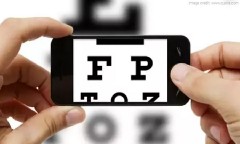
In such cases, you can use your Smartphone’s camera and see things beyond your visible area. Just use the zoom feature of your smartphone camera and get an in-focus image of the surroundings.


Comments

Popular posts from this blog

Hidden Siri commands and unusual responses

Digital assistants can be useful for performing a variety of tasks hands free, especially while in the car or while you have your hands full. While still far from perfect, there are numerous ways that using voice commands can help you make full use of your phone or tablet. Making use of standard commands that can otherwise be performed with regular touch input may seem like an inconvenience for some, but there are some hidden tricks buried within Siri for you to discover that are not accessible from any other apps. The list above presents you with most practical applications for Siri. Here's a more thorough list of things Siri manages to do well most of the time: Making a call / Facetime Texting or sending an email to someone Setting a timer or alarms Making conversions Checking the weather Turning on/off features like Wi-Fi, Bluetooth, setting Airplane Mode Managing your reminders, calendar and appointments Asking for synonyms or word definitions Navigation: ...

Android hacks you can do without rooting

Many people think you need to go through the daunting process of rooting your Android device to get the most out of it. While rooting does open up a world of new possibilities, there are plenty of cool Android hacks that don't actually require it. Here are five of our favorite hacks you can do on your Android device without rooting it. With Android Oreo you can now changes themes without root  Best Android apps of 2017 Lock your phone, remotely There's nothing worse than losing your phone, apart from losing your phone and knowing that someone might have access to your data. But you know what's great? Feeling like James Bond as your remotely stop someone poking their noses into that data. By using the Android Device Manager, you can take back control of your device if you ever lose it. You can even delete all of its data, if you wish to go that far. Enable the Lock the screen setting to stop people accessing your data. / © ANDROIDPIT   ...

How to download paid apps for free on your phone.

METHOD 1 In this method you have to download an app named BLACKMART ALPHA which helps you to download any android app from GOOGLE PLAY store which is paid. Mostly all paid apps successfully work though there might be some errors. First, Download BLACKMART ALPHA Now install it on your Android phone Now open Black mart on your android device Now your paid apps works successfully   Click here to download METHOD 2 In this method, you have to download apps from some famous websites which are in the form of .apk extension and then you have to transfer them from your PC to your phone. First, you have to visit 4shared or Media Fire on your PC or you can also install their apps on your mobile phone Now open these sites and you have to search the exact name of a particular app which you want to download in the format of appsname.apk. Don't forget to enter the extension name .apk at the end Now download the apps from that site on your PC or laptop and transfer them on yo...